LWL8 Hydration Partner
LWL8 Hydration Partner
LWL8 Hydration Partner
Case study
iOS, Android, Wear OS, Apple Watch
2 Months
Intro
Intro
Intro
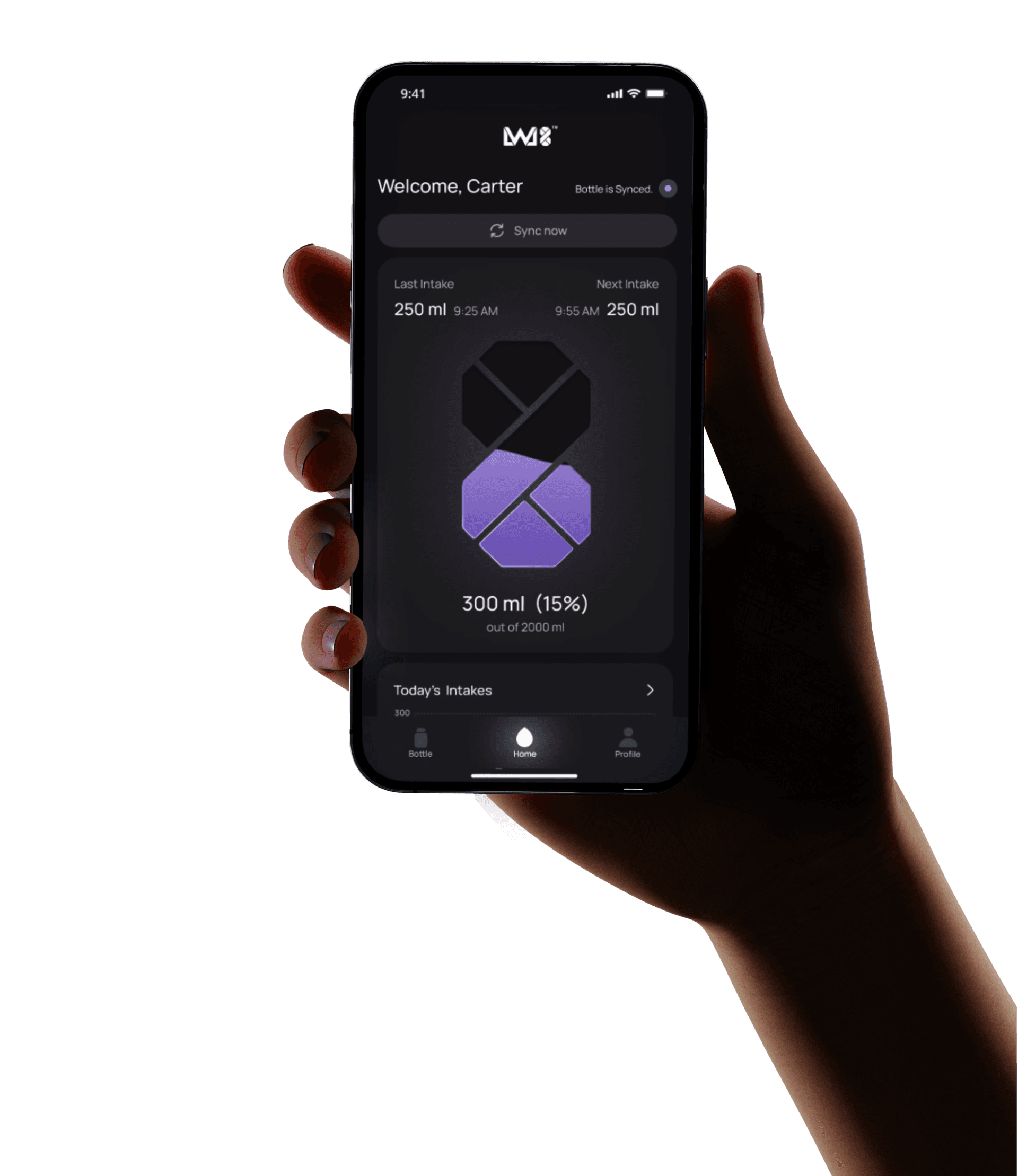
LWL8 is a smart hydration ecosystem designed to help people build healthier hydration habits. The mobile app works together with the smart bottle to provide timely reminders, automatic tracking, and simple insights that encourage consistent hydration.
In this case study, I walk through how I designed the end-to-end experience across iOS, Android, Apple Watch, and Wear OS, from research and problem definition to the final product.
LWL8 is a smart hydration ecosystem designed to help people build healthier hydration habits. The mobile app works together with the smart bottle to provide timely reminders, automatic tracking, and simple insights that encourage consistent hydration.
In this case study, I walk through how I designed the end-to-end experience across iOS, Android, Apple Watch, and Wear OS, from research and problem definition to the final product.
My Role
My Role
My Role
I led the design of the LWL8 mobile experience from 0 → 1, shaping both the product thinking and execution.
I led the design of the LWL8 mobile experience from 0 → 1, shaping both the product thinking and execution.
End-to-end UX design (Research → Delivery)
End-to-end UX design (Research → Delivery)
UI design system and visual direction
UI design system and visual direction
Micro-interactions & motion design
Micro-interactions & motion design
Cross-platform design (Android, iOS, Widgets, Watch App)
Cross-platform design (Android, iOS, Widgets, Watch App)
Collaboration with product & engineering for real-world constraints
Collaboration with product & engineering for real-world constraints
Team
Team
Team
Product Designer (Me)
1
Engineers
2
Product Manager
1
RESEARCH
LWL8 began as a small team moving fast, trying to validate whether a connected bottle could realistically earn a place in someone’s daily routine — not as a gadget, but as a habit. With limited time, we focused on quick, directional research that could support confident decisions rather than exhaustive studies that would slow us down before we’d even proven the core idea.
LWL8 began as a small team moving fast, trying to validate whether a connected bottle could realistically earn a place in someone’s daily routine — not as a gadget, but as a habit. With limited time, we focused on quick, directional research that could support confident decisions rather than exhaustive studies that would slow us down before we’d even proven the core idea.
The starting observation was almost embarrassingly simple: people carry water bottles everywhere — to their desks, to the gym, on every trip — and still manage to forget to drink from them. Hydration is one of the few habits nearly everyone already has the right equipment for, and still fails to maintain.
The starting observation was almost embarrassingly simple: people carry water bottles everywhere — to their desks, to the gym, on every trip — and still manage to forget to drink from them. Hydration is one of the few habits nearly everyone already has the right equipment for, and still fails to maintain.
That gap between intention and behavior became the central question. This led us to a simple question: how could we help people stay hydrated without becoming another app that users eventually ignore? Rather than asking how to get people to drink more water, we asked something narrower: how do people actually remember to drink, and how do they respond when something reminds them?
That gap between intention and behavior became the central question. This led us to a simple question: how could we help people stay hydrated without becoming another app that users eventually ignore? Rather than asking how to get people to drink more water, we asked something narrower: how do people actually remember to drink, and how do they respond when something reminds them?
We also wanted to know how physical routines help or hurt consistency, and how people track their intake today, if at all. Four questions, not forty — enough to point the design in the right direction without pretending we already knew the answer.
We also wanted to know how physical routines help or hurt consistency, and how people track their intake today, if at all. Four questions, not forty — enough to point the design in the right direction without pretending we already knew the answer.
USER INTERVIEWS
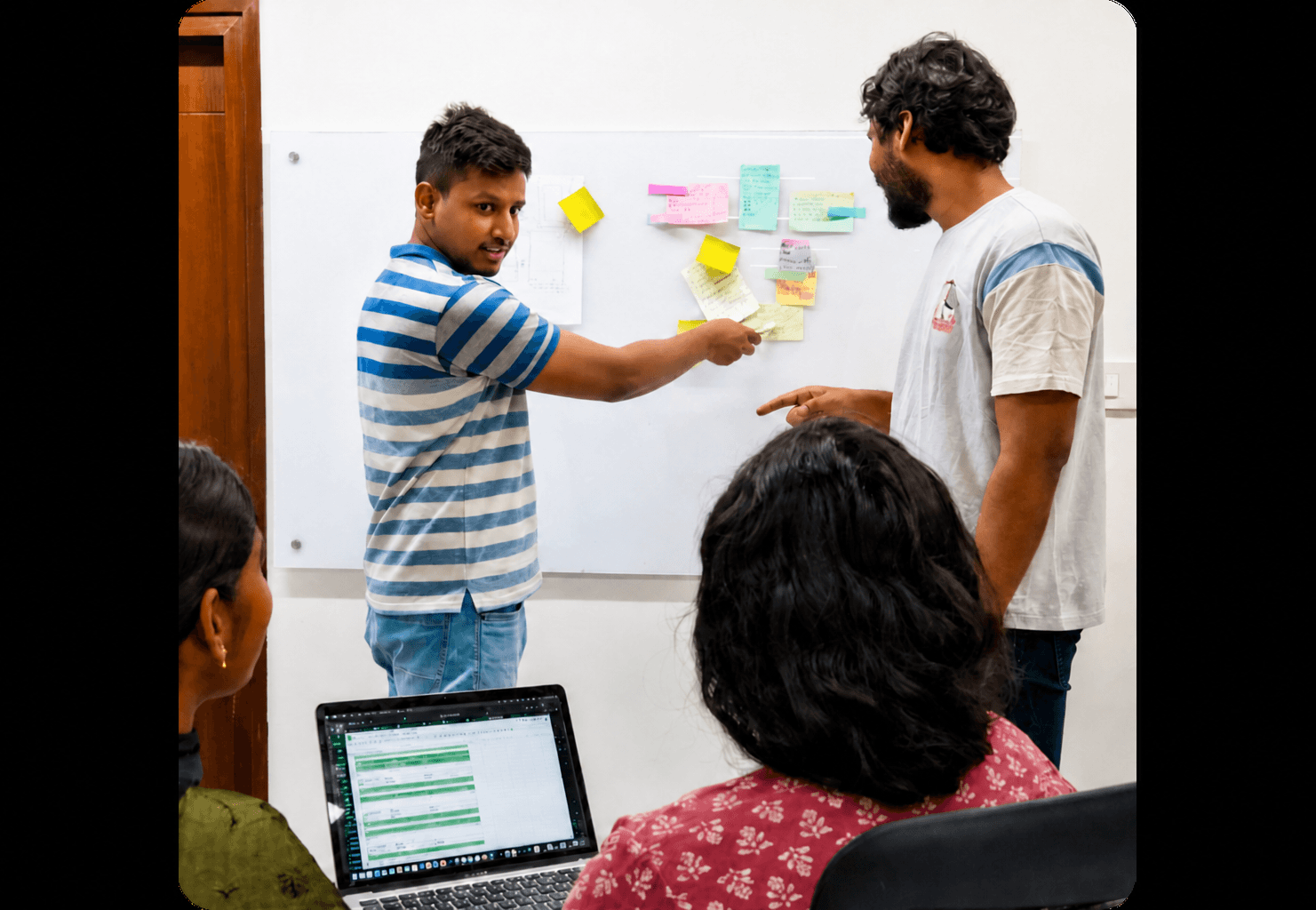
Most users we spoke with already understood, in the abstract, why hydration mattered — they weren’t uninformed, and they already carried bottles to work, gyms, and on flights. What broke down wasn’t awareness. It was consistency. To understand why, we interviewed working professionals, fitness-focused users, students, and frequent travelers — a deliberately mixed group, chosen because each carries water differently and forgets it differently.
Most users we spoke with already understood, in the abstract, why hydration mattered — they weren’t uninformed, and they already carried bottles to work, gyms, and on flights. What broke down wasn’t awareness. It was consistency. To understand why, we interviewed working professionals, fitness-focused users, students, and frequent travelers — a deliberately mixed group, chosen because each carries water differently and forgets it differently.
A desk-bound professional’s failure mode looks nothing like a traveler’s, and we wanted the research to reflect that instead of averaging it away.
A desk-bound professional’s failure mode looks nothing like a traveler’s, and we wanted the research to reflect that instead of averaging it away.
The conversations were structured loosely around five themes: hydration timing, how people actually respond to reminders in practice, and what their current tracking experience looked like.
The conversations were structured loosely around five themes: hydration timing, how people actually respond to reminders in practice, and what their current tracking experience looked like.
We also probed how the bottle fit — or didn’t fit — into daily routines, and the interruptions that broke consistency most often. Letting the conversation move across all five themes let patterns emerge on their own, rather than forcing answers into categories we’d decided on in advance.
We also probed how the bottle fit — or didn’t fit — into daily routines, and the interruptions that broke consistency most often. Letting the conversation move across all five themes let patterns emerge on their own, rather than forcing answers into categories we’d decided on in advance.
INSIGHT 01
Users Forgot When to Drink
Most users already understood why hydration mattered, and most already carried a bottle.
During our research, we realized people weren’t lacking motivation—they simply forgot to drink water at the right time.
During focused work, meetings, workouts, or travel, people simply lost track of when they’d last taken a drink.
Nothing in their environment was built to remind them at the moment it would have actually helped — so the habit quietly failed, day after day.
Most users already understood why hydration mattered, and most already carried a bottle.
During our research, we realized people weren’t lacking motivation—they simply forgot to drink water at the right time.
During focused work, meetings, workouts, or travel, people simply lost track of when they’d last taken a drink.
Nothing in their environment was built to remind them at the moment it would have actually helped — so the habit quietly failed, day after day.
“I realize I haven’t had water only when I feel exhausted.”
INSIGHT 02
Hydration Tracking Felt Easy to Ignore
Many of the people we spoke with had already tried a hydration app or a reminder system at some point.
Almost all of them had stopped using it.
The pattern was consistent: the reminders started useful, then became repetitive, then became noise — something to dismiss on reflex rather than act on.
A system that interrupts without adapting eventually trains people to stop listening to it.
Many of the people we spoke with had already tried a hydration app or a reminder system at some point.
Almost all of them had stopped using it.
The pattern was consistent: the reminders started useful, then became repetitive, then became noise — something to dismiss on reflex rather than act on.
A system that interrupts without adapting eventually trains people to stop listening to it.
“After a few days, I started swiping them away automatically.”
“After a few days, I started swiping them away automatically.”
INSIGHT 03
Insights Didn’t Drive Action
People genuinely liked seeing their hydration stats — the charts, the totals, the streaks.
But liking the data and acting on it turned out to be two different things.
Viewing an intake graph rarely changed what someone did for the rest of the day.
Manually logging every glass of water was enough friction to make people quietly abandon the habit within a week.
People genuinely liked seeing their hydration stats — the charts, the totals, the streaks.
But liking the data and acting on it turned out to be two different things.
Viewing an intake graph rarely changed what someone did for the rest of the day.
Manually logging every glass of water was enough friction to make people quietly abandon the habit within a week.
“…but I disliked manually recording every intake.”
OBSERVATION
Interviews helped us understand what people said they did. We also observed people during their daily routines—at work, during workouts, while commuting, and while travelling—to validate those findings.
Interviews helped us understand what people said they did. We also observed people during their daily routines—at work, during workouts, while commuting, and while travelling—to validate those findings.
One pattern showed up everywhere we looked, independent of context: during travel especially, bottles were left behind or forgotten completely, often without the person noticing until they were already somewhere else.
One pattern showed up everywhere we looked, independent of context: during travel especially, bottles were left behind or forgotten completely, often without the person noticing until they were already somewhere else.
COMPETITIVE GAP
We looked at what was already on the market — WaterMinder, HidrateSpark, Plant Nanny, and Hydro Coach among them — to understand what problems were already solved and where the real opening was.
We looked at what was already on the market — WaterMinder, HidrateSpark, Plant Nanny, and Hydro Coach among them — to understand what problems were already solved and where the real opening was.
These tools were, for the most part, genuinely good at tracking hydration. What they weren’t good at was maintaining hydration behavior over time.
These tools were, for the most part, genuinely good at tracking hydration. What they weren’t good at was maintaining hydration behavior over time.
Most leaned almost entirely on notifications and passive data visualization, both of which lose a user’s attention within weeks. Tracking existed; the underlying behavior it was supposed to support usually didn’t stick.
Most leaned almost entirely on notifications and passive data visualization, both of which lose a user’s attention within weeks. Tracking existed; the underlying behavior it was supposed to support usually didn’t stick.
That gap — between logging water and actually building a lasting habit — is where LWL8 needed to differentiate.
That gap — between logging water and actually building a lasting habit — is where LWL8 needed to differentiate.
The Research Revealed Four Core Problems
The Research Revealed Four Core Problems
01
01
Users forget when to drink, not just to drink.
Users forget when to drink, not just to drink.
02
02
Hydration tracking feels passive and easy to ignore.
Hydration tracking feels passive and easy to ignore.
03
03
Insights exist, but they don’t drive action.
Insights exist, but they don’t drive action.
04
04
Physical habits — like misplacing the bottle — break the experience entirely.
Physical habits — like misplacing the bottle — break the experience entirely.
Solutions
Solutions
Solutions
Automatic Reminders
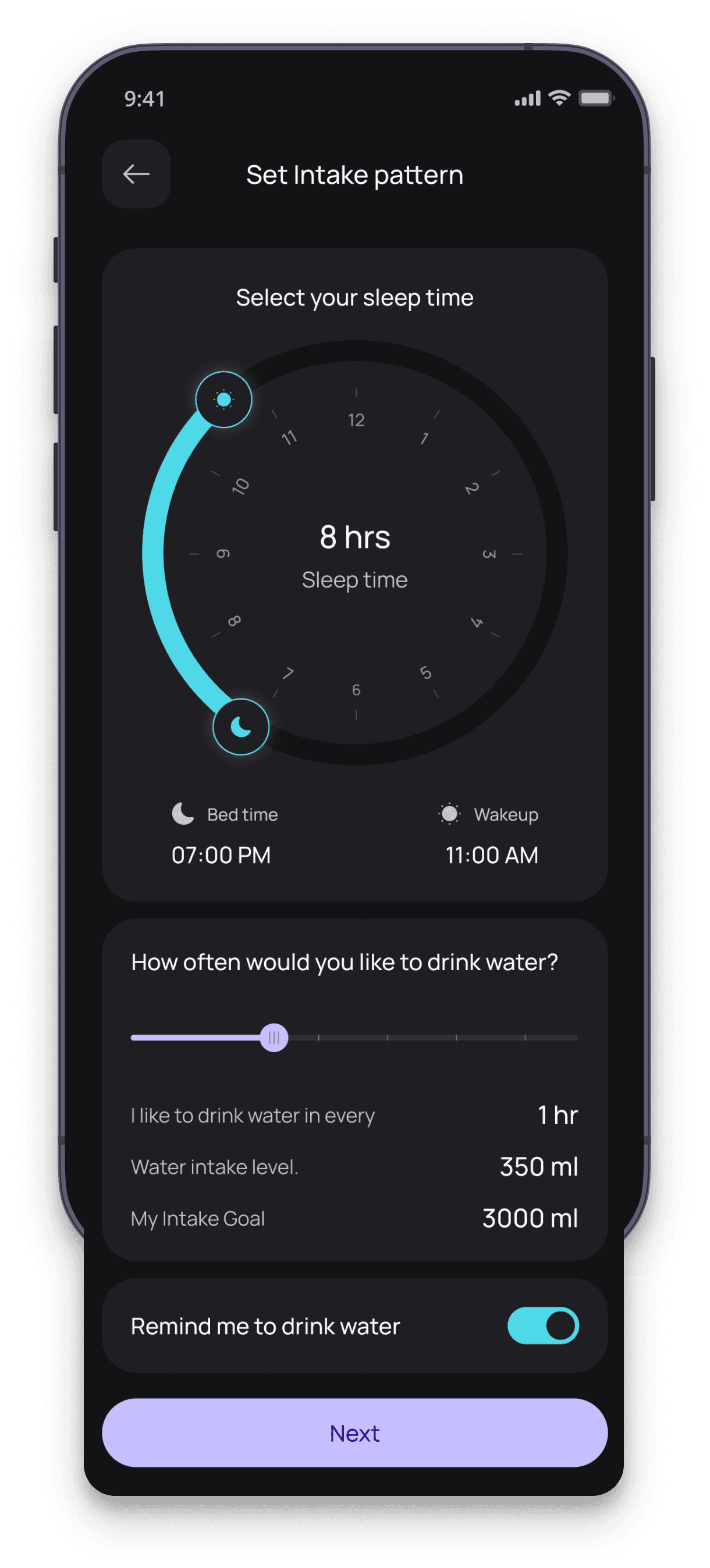
LWL8 provides smart and customizable reminders that gently prompt users to drink water at the right time. These reminders are designed to fit into daily routines without being distracting, helping users stay consistently hydrated.
LWL8 provides smart and customizable reminders that gently prompt users to drink water at the right time. These reminders are designed to fit into daily routines without being distracting, helping users stay consistently hydrated.
LWL8 provides smart and customizable reminders that gently prompt users to drink water at the right time. These reminders are designed to fit into daily routines without being distracting, helping users stay consistently hydrated.
Goal vs. Intake Tracking
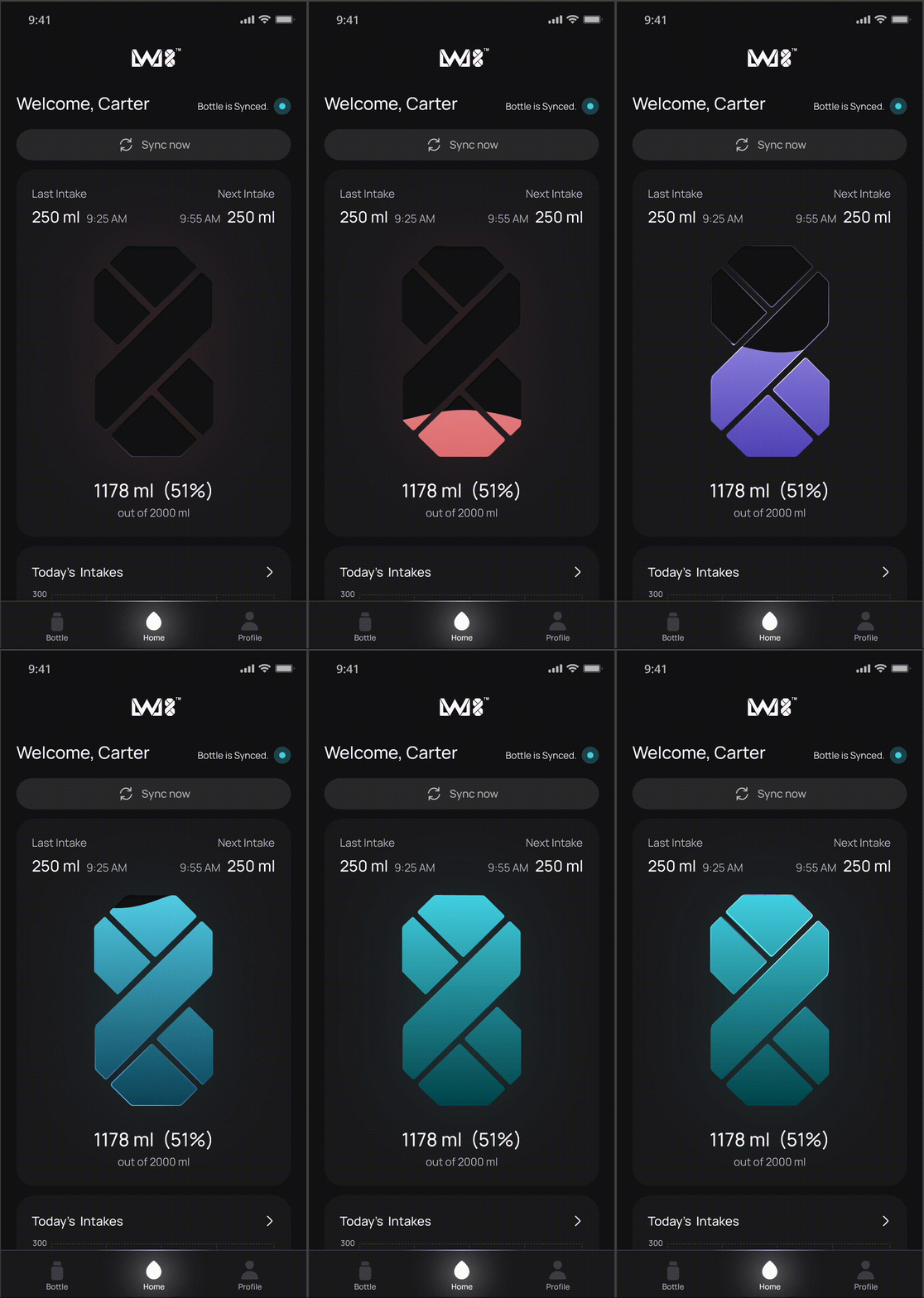
Progress needed to feel alive, not administrative. LWL8’s signature progress element is built around the brand’s own 8-shaped identity: as a person drinks, the form fills, creating a sense of completion and forward motion rather than a static number ticking upward. In early validation, users immediately understood the interaction without explanation, and the animation and clarity were consistently the most praised details in feedback — visual, satisfying, and quietly habit-forming in a way a plain progress bar never managed to be.
Progress needed to feel alive, not administrative. LWL8’s signature progress element is built around the brand’s own 8-shaped identity: as a person drinks, the form fills, creating a sense of completion and forward motion rather than a static number ticking upward. In early validation, users immediately understood the interaction without explanation, and the animation and clarity were consistently the most praised details in feedback — visual, satisfying, and quietly habit-forming in a way a plain progress bar never managed to be.
Progress needed to feel alive, not administrative. LWL8’s signature progress element is built around the brand’s own 8-shaped identity: as a person drinks, the form fills, creating a sense of completion and forward motion rather than a static number ticking upward. In early validation, users immediately understood the interaction without explanation, and the animation and clarity were consistently the most praised details in feedback — visual, satisfying, and quietly habit-forming in a way a plain progress bar never managed to be.
Hydration Insights
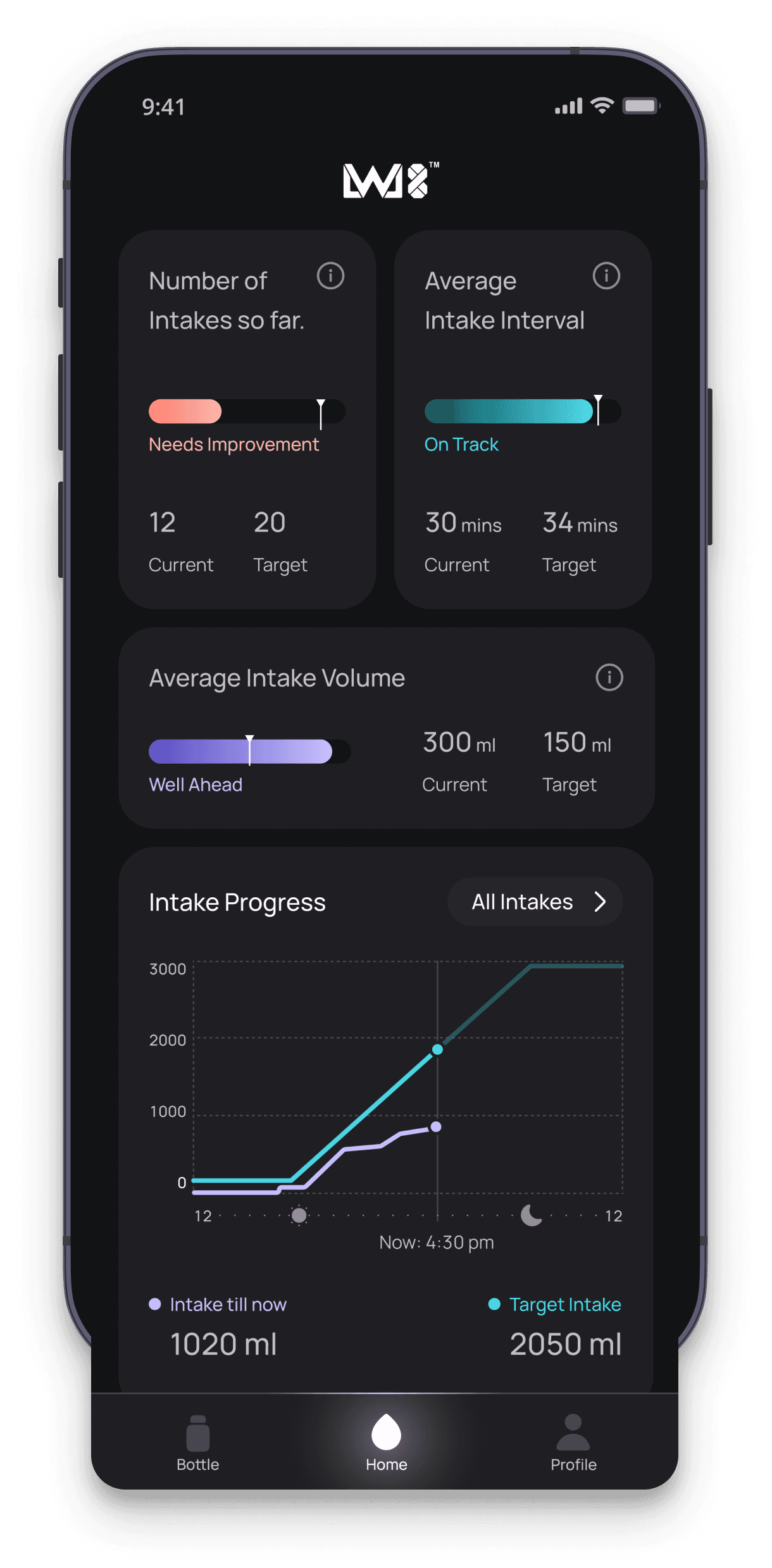
Most hydration apps already help users track their water intake. We wanted to go one step further by helping users build a lasting habit. Working closely with the team, we narrowed the insights down to a focused set that actually answers the questions people care about: am I drinking enough, am I drinking at the right times, and am I improving over time. That meant surfacing intake count against target, average interval against an ideal frequency, volume consistency, and a direct comparison of actual versus target progress — fewer numbers, chosen for how much they change what someone does next.
Most hydration apps already help users track their water intake. We wanted to go one step further by helping users build a lasting habit. Working closely with the team, we narrowed the insights down to a focused set that actually answers the questions people care about: am I drinking enough, am I drinking at the right times, and am I improving over time. That meant surfacing intake count against target, average interval against an ideal frequency, volume consistency, and a direct comparison of actual versus target progress — fewer numbers, chosen for how much they change what someone does next.
Historical Tracking
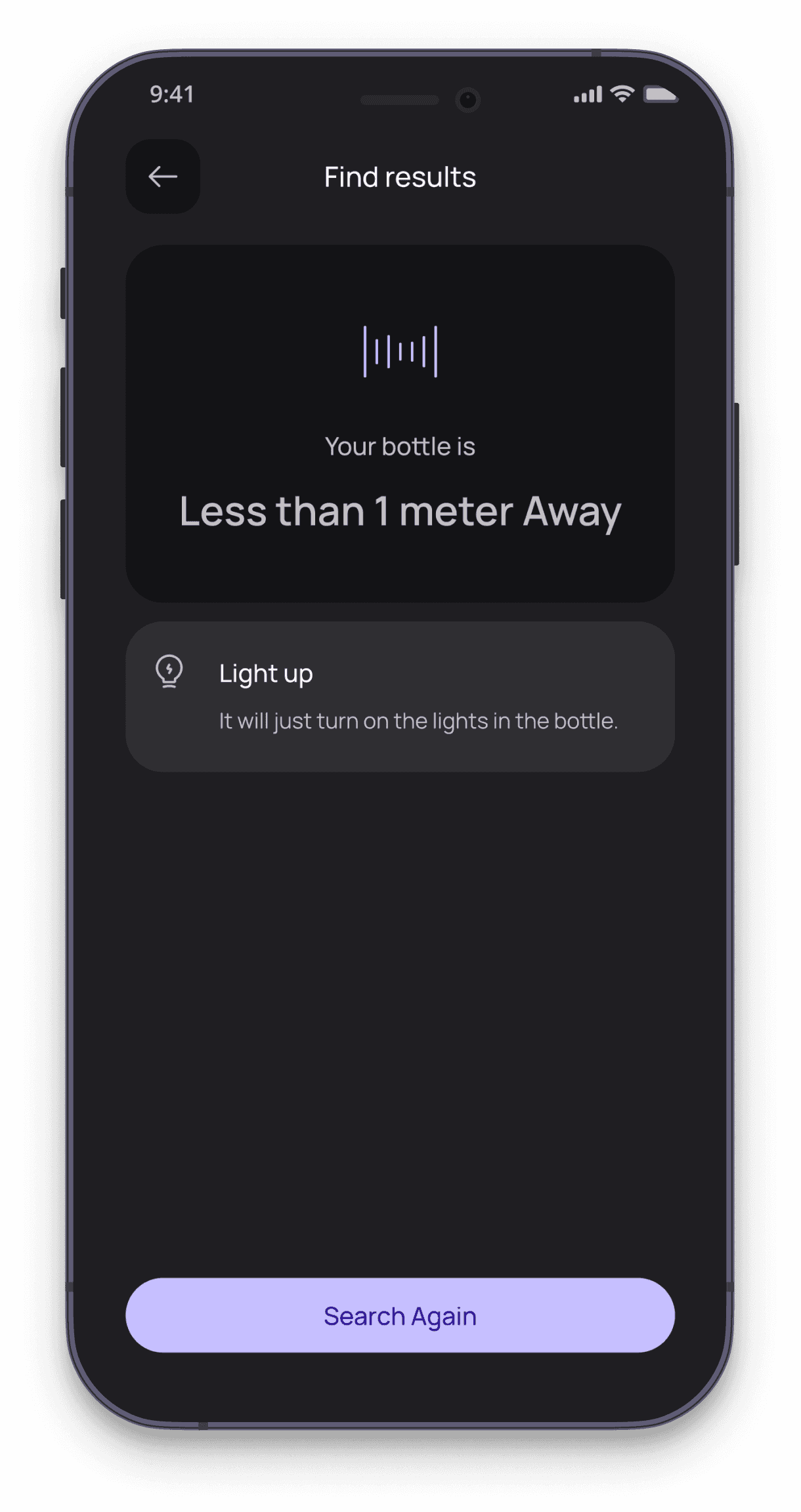
Every session feeds into a longer view. Users can look back across days and weeks to see real patterns rather than isolated numbers — which days consistently fall short, which routines actually support the habit, and where progress is genuinely being made. Historical data turns hydration from a daily chore into something with visible momentum.
Every session feeds into a longer view. Users can look back across days and weeks to see real patterns rather than isolated numbers — which days consistently fall short, which routines actually support the habit, and where progress is genuinely being made. Historical data turns hydration from a daily chore into something with visible momentum.
Every session feeds into a longer view. Users can look back across days and weeks to see real patterns rather than isolated numbers — which days consistently fall short, which routines actually support the habit, and where progress is genuinely being made. Historical data turns hydration from a daily chore into something with visible momentum.
Find My Bottle
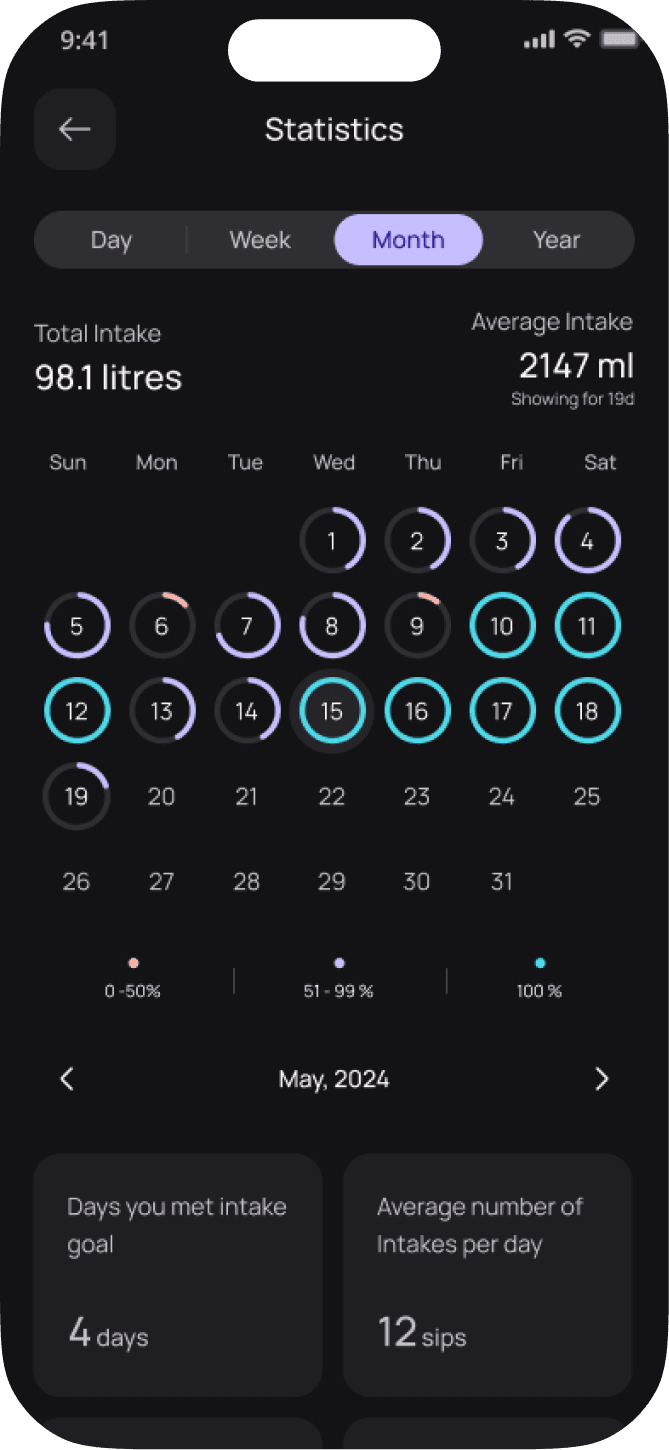
The fourth problem wasn’t digital at all — it was physical. Bottles got left behind, especially while traveling, and every time that happened, tracking broke along with it. GPS was the obvious first instinct, and also the wrong one: it introduced battery drain, added cost, and more technical overhead than the problem justified. Instead, LWL8 uses Bluetooth to power a simpler, two-layer experience. When the bottle is nearby, the app shows real-time distance — “5 meters away” — so finding it is immediate. Once it’s out of range, the app falls back to showing its last connected location, so a bottle left in yesterday’s bag is never a total mystery.
The fourth problem wasn’t digital at all — it was physical. Bottles got left behind, especially while traveling, and every time that happened, tracking broke along with it. GPS was the obvious first instinct, and also the wrong one: it introduced battery drain, added cost, and more technical overhead than the problem justified. Instead, LWL8 uses Bluetooth to power a simpler, two-layer experience. When the bottle is nearby, the app shows real-time distance — “5 meters away” — so finding it is immediate. Once it’s out of range, the app falls back to showing its last connected location, so a bottle left in yesterday’s bag is never a total mystery.
The fourth problem wasn’t digital at all — it was physical. Bottles got left behind, especially while traveling, and every time that happened, tracking broke along with it. GPS was the obvious first instinct, and also the wrong one: it introduced battery drain, added cost, and more technical overhead than the problem justified. Instead, LWL8 uses Bluetooth to power a simpler, two-layer experience. When the bottle is nearby, the app shows real-time distance — “5 meters away” — so finding it is immediate. Once it’s out of range, the app falls back to showing its last connected location, so a bottle left in yesterday’s bag is never a total mystery.
Other Screens
Login & Profile Setup
Historical Statistics
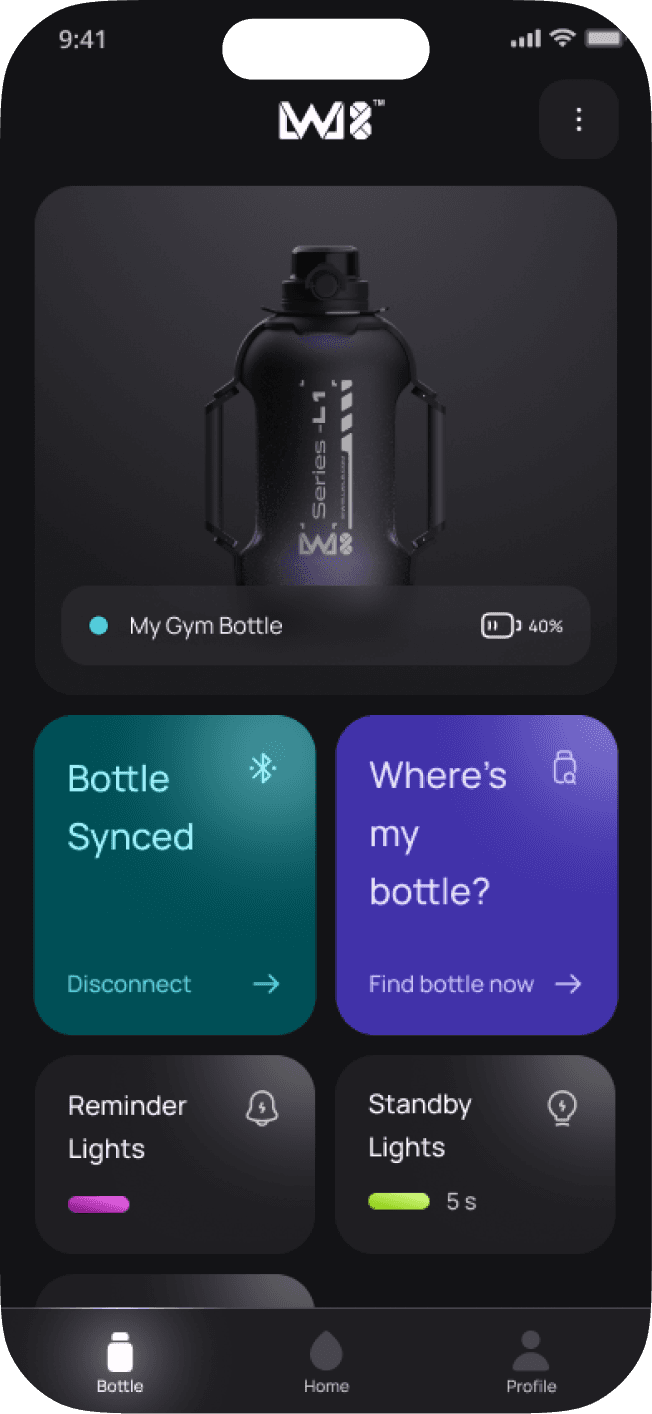
Pair, Control & Calibrate
Login & Profile Setup
Historical Statistics
Pair, Control & Calibrate
CROSS-PLATFORM
WIDGETS
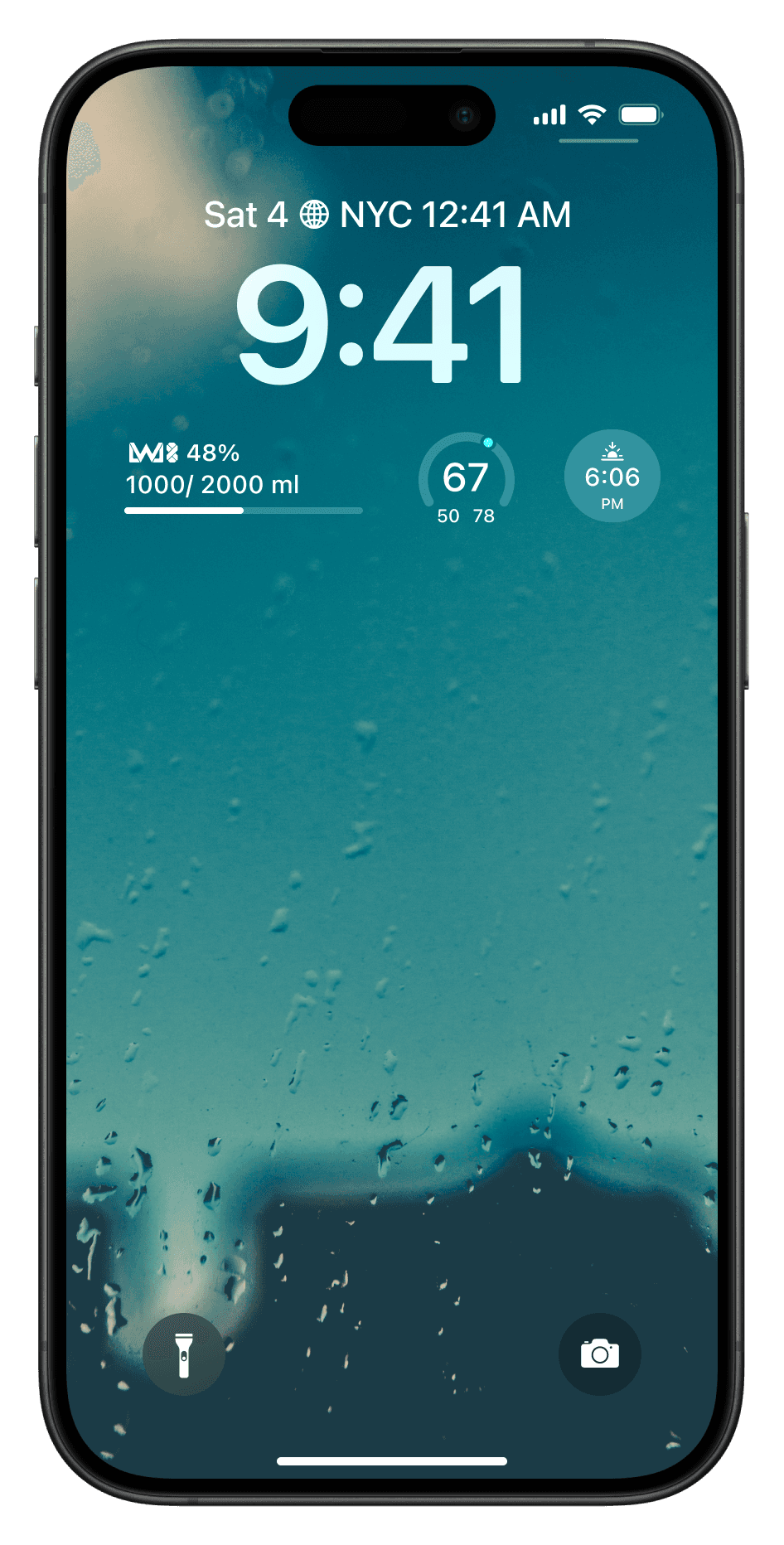
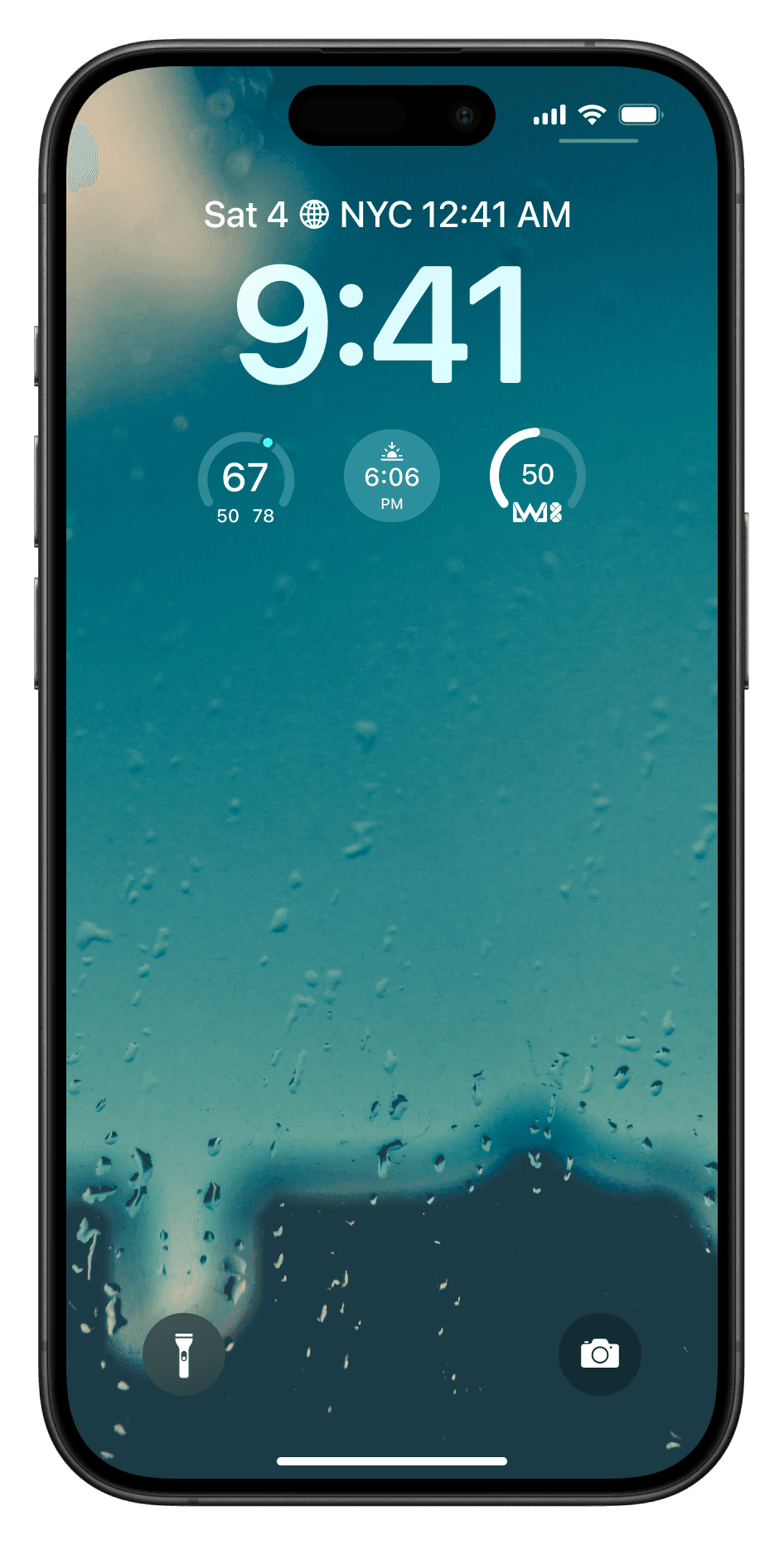
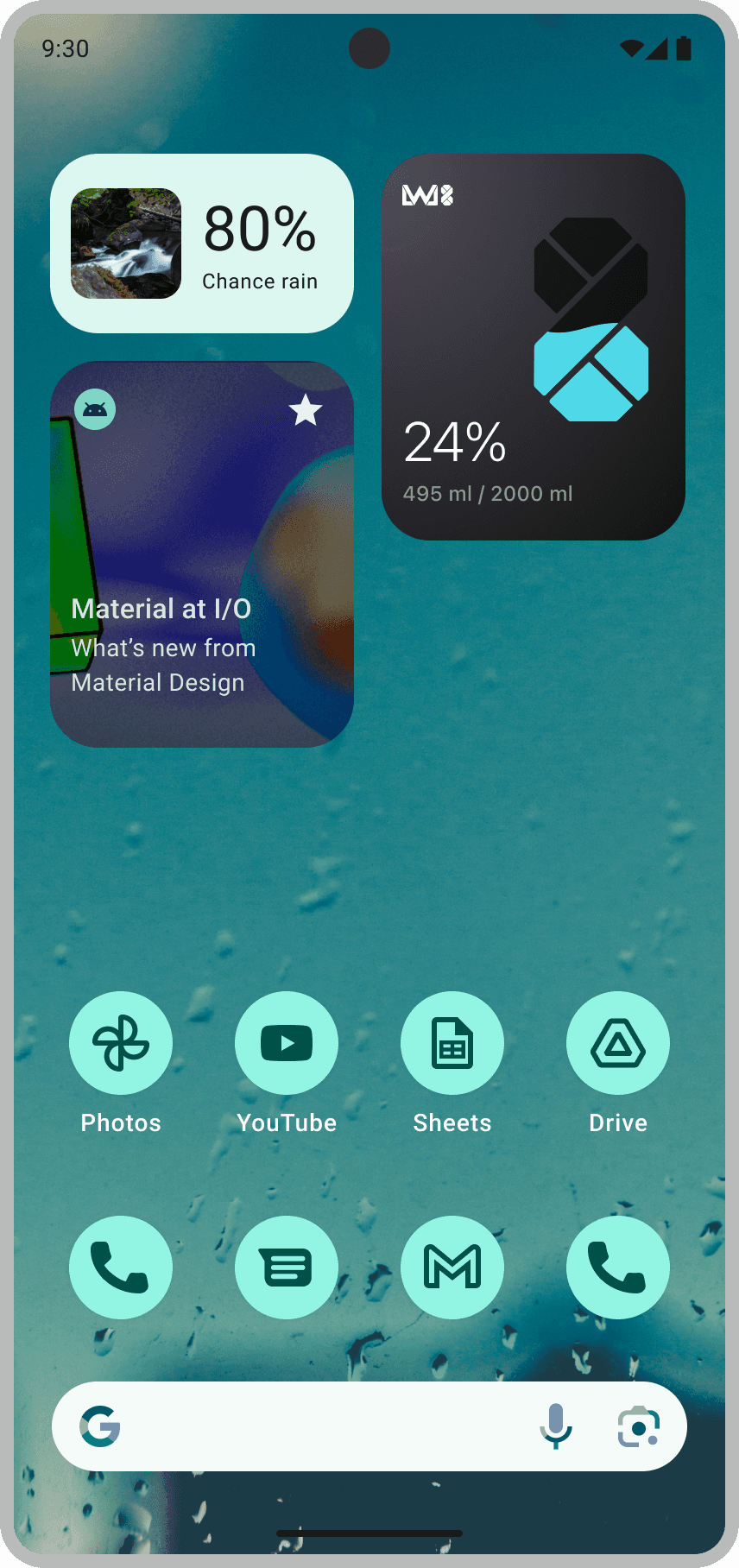
Hydration only works as a habit if checking it costs nothing. Widgets answer the research finding that opening an app is itself a friction point — by the time someone remembers to launch LWL8, the moment to drink has usually passed.
Hydration only works as a habit if checking it costs nothing. Widgets answer the research finding that opening an app is itself a friction point — by the time someone remembers to launch LWL8, the moment to drink has usually passed.
APPLE WATCH
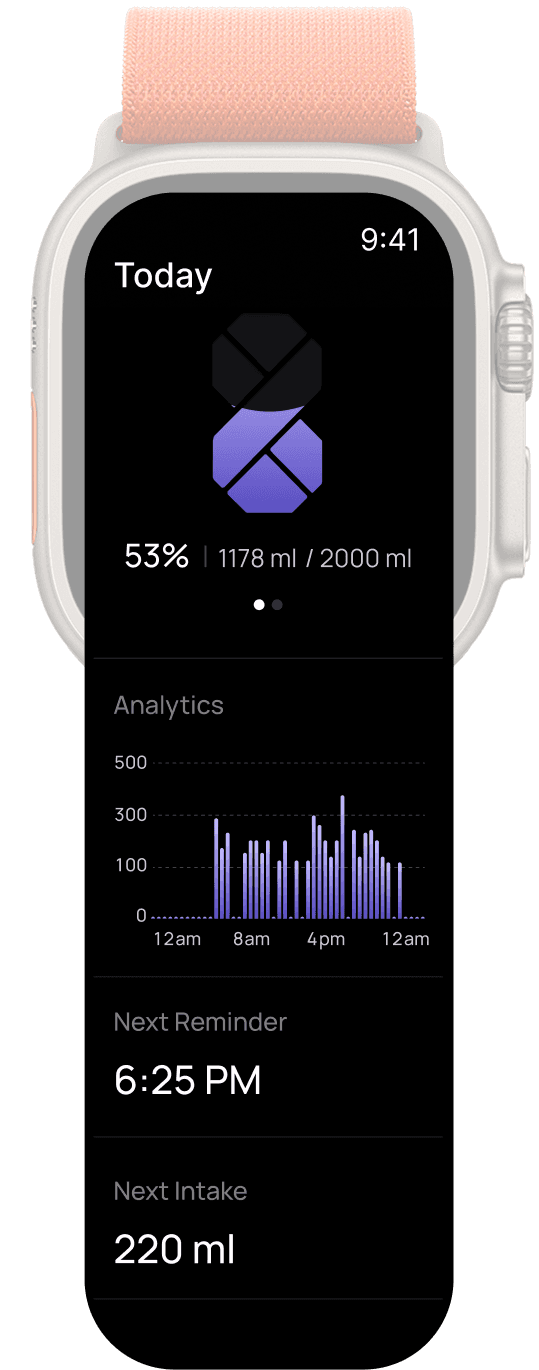
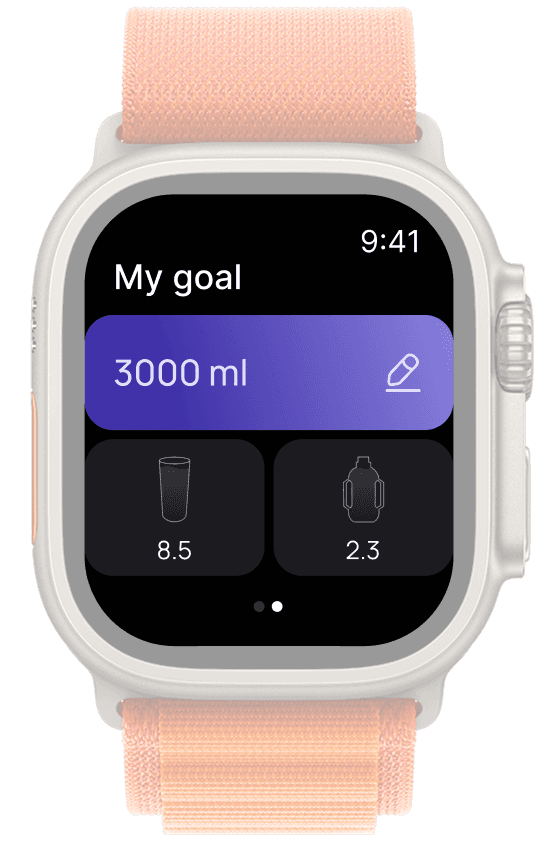
The wrist is the lowest-friction surface of all — closer to the body than a phone in a pocket, and visible without unlocking anything. The same 8-shaped progress mark used throughout the app carries over here, so the ring reads as unmistakably LWL8 even at complication scale.
The wrist is the lowest-friction surface of all — closer to the body than a phone in a pocket, and visible without unlocking anything. The same 8-shaped progress mark used throughout the app carries over here, so the ring reads as unmistakably LWL8 even at complication scale.
WEAR OS
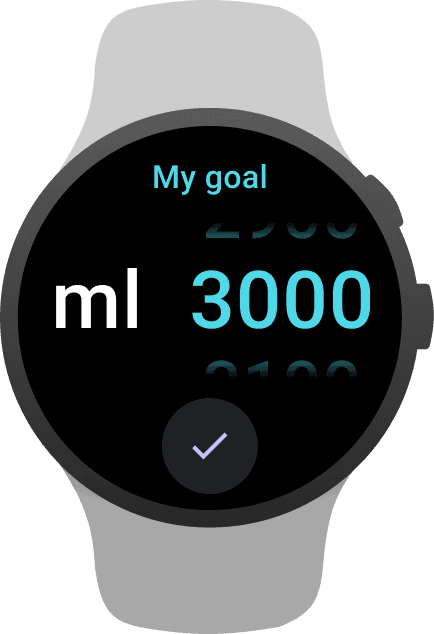
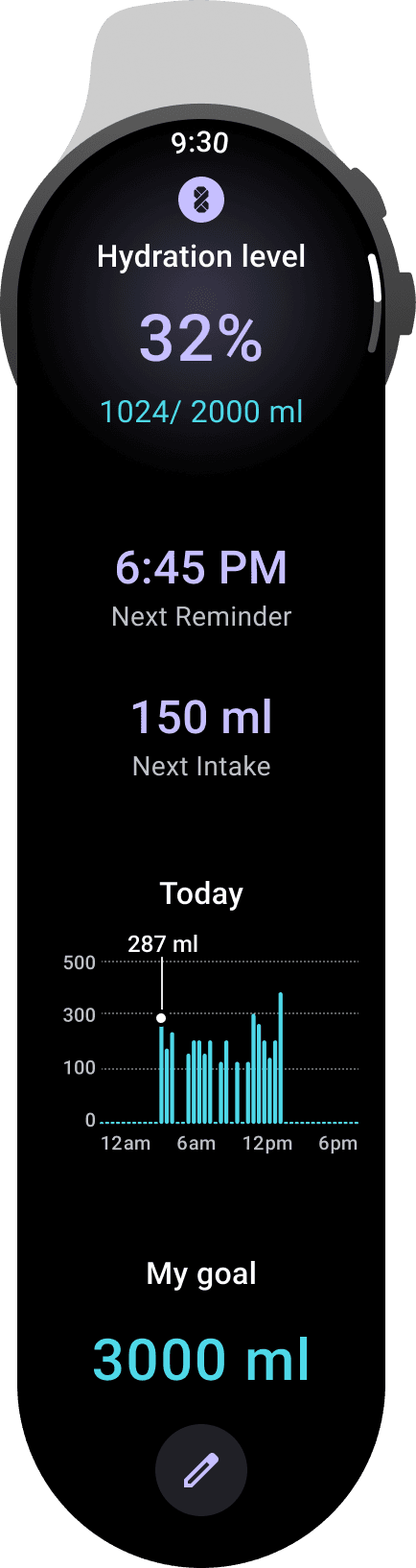
Wear OS covers the same ground through tiles rather than complications, matching Android’s own design language instead of mirroring the iOS layout.
Wear OS covers the same ground through tiles rather than complications, matching Android’s own design language instead of mirroring the iOS layout.
BEYOND SCREENS
Designing LWL8 involved much more than creating app screens. A meaningful part of the work happened underneath them: building reusable design-system components so the product could scale past a single feature without every new screen starting from zero.
Designing LWL8 involved much more than creating app screens. A meaningful part of the work happened underneath them: building reusable design-system components so the product could scale past a single feature without every new screen starting from zero.
Motion design was equally important. We hand-built lightweight vector animations in Figma paired with Lottie so movement stayed consistent — and light — across every platform the app runs on, from a phone screen down to a 44mm watch face.
Motion design was equally important. We hand-built lightweight vector animations in Figma paired with Lottie so movement stayed consistent — and light — across every platform the app runs on, from a phone screen down to a 44mm watch face.
Impact
Impact
Impact
99%
98.56% of bottle owners installed the LWL8 app in their first week.
98.56% of bottle owners installed the LWL8 app in their first week.
65%
65% of app users became daily actives, opening LWL8 to check in on their hydration.
65% of app users became daily actives, opening LWL8 to check in on their hydration.
80%
80% of users engaged with the app weekly, well past the typical hydration-app drop-off point.
80% of users engaged with the app weekly, well past the typical hydration-app drop-off point.
WHAT I LEARNED
Translate behavior into product decisions — research is only useful once it changes what gets built.
Translate behavior into product decisions — research is only useful once it changes what gets built.
Design systems people can actually stick to, not just systems that look good in a single demo.
Design systems people can actually stick to, not just systems that look good in a single demo.
Even the simplest problems — like remembering to drink water — require thoughtful, human-centered design to solve for real.
Even the simplest problems — like remembering to drink water — require thoughtful, human-centered design to solve for real.
WHAT'S NEXT?
WHAT'S NEXT?
WHAT'S NEXT?
Real-time hydration tracking through live notifications, so intake stays visible even outside the app.
Real-time hydration tracking through live notifications, so intake stays visible even outside the app.
App screens designed ahead for future versions of the LWL8 bottle hardware.
App screens designed ahead for future versions of the LWL8 bottle hardware.
Personalized recommendations based on each user’s health level and behavior patterns.
Personalized recommendations based on each user’s health level and behavior patterns.
Gamification and community-driven motivation to make consistency feel social, not solitary.
Gamification and community-driven motivation to make consistency feel social, not solitary.